
Le développeur présente PURGE Plus, un plug-in de suppression des résonances en temps réel, compatible macOS et Windows… Lire la suite sur Audiofanzine

Le développeur présente PURGE Plus, un plug-in de suppression des résonances en temps réel, compatible macOS et Windows… Lire la suite sur Audiofanzine

Découvrez Evolve Air, le quatrième volet de la série Evolve, un synthétiseur virtuel basé sur échantillons, aux textures atmosphériques et éthérées… Lire la suite sur Audiofanzine
La marque Chauvet Professional présente un nouveau blinder asservi : STRIKE Array Ultra… Lire la suite sur Audiofanzine
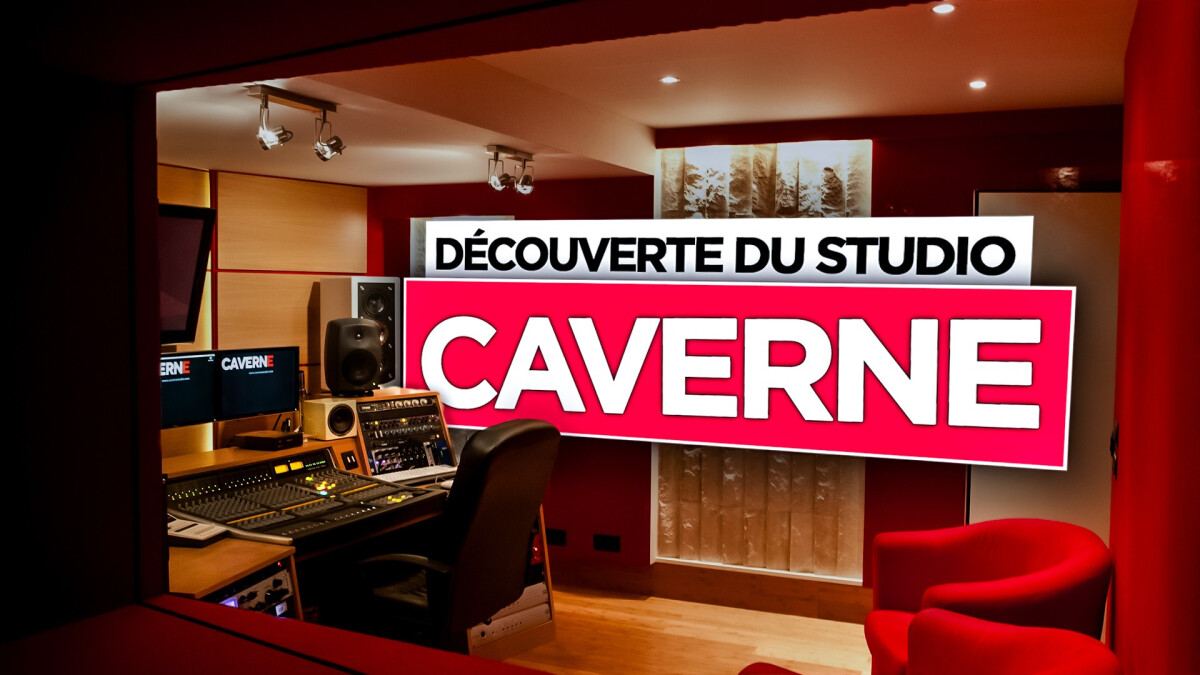
Nous sommes allés rencontrer l’ingénieur Nicolas Sacco dans son studio Caverne Studio. Il nous ouvre les portes de son studio situé à deux pas des catacombes de Paris pour découvrir la configuration qui lui permet d’accueillir tout type de client… Lire la suite sur Audiofanzine
quietformat has released PURGE Plus, a zero-latency resonance control plug-in for macOS and Windows.
Designed for real-time use, PURGE Plus detects harsh resonances, ringing, and frequency buildup as they occur, then reduces them only when needed. Its zero-latency design makes it suitable for live playing on virtual instruments, low-latency vocal monitoring while recording, and general mix cleanup on tracks and buses.
A central feature is the 6-Band Bypass EQ section, which works as a resonance-suppression guide rather than a tonal EQ. The bands define where suppression should focus and where it should be avoided, allowing users to shape targeted cleanup or broader control across the spectrum.
PURGE Plus also includes Sidechain Mode, which allows the plug-in to analyze an external source and apply suppression to the current track based on that signal. This can be used to reduce frequency conflicts between overlapping parts in a mix, such as vocals and instruments, or bass and kick.
Main controls include Depth, Sensitivity, and Brighten, with Attack and Release controls available for adjusting response and recovery speed.
PURGE Plus is available now at an introductory price of $34.99 (Reg. $49) for macOS and Windows in VST3 and AU plugin formats.

If the modern DAW has conditioned us to think in neat four-bar loops, Polyfold would like a word. Manifest Audio’s latest Max for Live device doesn’t just extend the concept of a step sequencer: it expands it into new creative realms.
In releasing Polyfold, a new Max for Live MIDI sequencer for Ableton Live, Manifest Audio have taken an ambitious view of what a sequencer can be. Framed as a “multidimensional sequencing system,” it steps away from the familiar comfort of 16-step grids and tidy four-bar loops, proposing something closer to an architectural framework for rhythm, melody, and harmony.

At the centre of the device is a dual stage rate architecture built around a shared base rate. Rather than assigning each lane a simple clock division and calling it a day, Polyfold routes timing through two independent sequencers labelled Multiply and Divide. Each runs at its own length and combines each step to reshape the underlying rate before it reaches the rest of the system. In practice, this allows for local accelerations, contractions, and asymmetries that still feel rhythmically grounded. It’s complex, but not chaotic: the math is exposed, not hidden.
Beyond those two, Polyfold offers 14 additional sequencer lanes, each supporting up to 1024 steps (though they can be as short as two steps each). Loop length, direction, and reset behaviour can be applied per lane, so you can build tight interlocking polymeters, letting individual parts run for long stretches before they coincide again — or enforce more conventional phrasing with the bar reset interval. Global controls make it possible to impose shared step counts or resets across unlocked lanes, while per-parameter play direction adds further dynamics.
« 1024 steps per lane » is of course the headline figure that prompts a double take. In a landscape dominated by short loops and incremental automation, it may appear indulgent. But Polyfold’s expansive scale makes more sense in context: you don’t have to run every lane to the horizon. One transposition or modulation lane might stretch towards 1000 steps, unfolding over minutes, while a pitch lane cycles briskly through 16 steps or less. The friction between those lengths is where the interest lies. Short, familiar loops provide a centre of gravity; as longer lanes drift across them, they introduce gradual harmonic turns, rhythmic offsets, or gestural swells that take far longer to resolve. Instead of everything repeating together, elements phase through different relational states, creating extended interactions that animate otherwise traditionally cyclic material. In that light, 1024 steps isn’t about cramming in more notes; it’s about giving certain parameters room to move slowly against the ones that don’t.

These extended step lengths also afford a different approach to longer melodic gestures: it’s easy to click and draw a curving pitch narrative over hundreds of steps, then apply gentle randomization (less than, say, 10%), to add dynamic variation to a melody that still broadly follows the drawn contour – as pictured above. But if you need everything to synchronize in more digestible phrases, that’s no problem – just activate Polyfold’s global bar reset interval as needed.
Pitch duties are handled by four discrete-range pitch lanes, enabling up to four-voice polyphony. Each includes per-note probability and access to preset pattern libraries, with user sequences stored directly inside the device. Optional Octave and Transpose lanes introduce structured harmonic movement, with the innovative Transpose sequencer operating at bar-level resolution rather than the rhythmic base rate. The Transpose lane is particularly helpful to imbue otherwise repeating pitch cycles with long-form tonal progression. Scale-aware operation keeps all pitch output harmonically coherent, while a Drums Mode toggle provides straightforward chromatic triggering for Drum Racks.
Beyond pitch, Polyfold sequences Chance, Velocity, Length, Hold, and Delay, many of which include Euclidean and Count-based pattern generation, alongside randomization. The global Chance lane may seem redundant with the per-pitch lane probability, but it provides the ability to enforce rhythmic patterns on all four pitch lanes simultaneously to produce unique chord-based rhythms.

These all come alongside a notably detailed Ratchet engine. Ratcheting here is not a blunt rhythmic repeat tool, but a fully parameterised layer, with pitch, velocity, and length decay, probability and deviation controls, plus bounded behaviours such as clip, wrap, and fold. The rhythmic ratcheting is relative to the current step’s rate, so it’s already dynamic; adding the pitch decay turns each ratchet into intricately expressive ornamentation. Reducing per-step ratchet probability helps ensure what might otherwise become annoyingly busy output never gets tiresome.
Polyfold also includes pattern preset menus across its Pitch, Transpose, Velocity, and Chance lanes. More than decorative drop-downs, the pitch presets provide structured melodic starting points that can be dialed in and mutated as required, while Transpose offers progression-based patterns that operate at bar level, steering harmonic movement over time according to a variety of chord progression patterns. Velocity and Chance feature rhythmically coherent variations without having to draw every accent by hand. The presets are instant scaffolding: quick ways to introduce order into a lane before you start bending it to your own ends. Better yet, you can select a preset at random – and also easily save and restore your own pattern presets too.

Finally, two additional modulation sequencers generate a combined control signal that can be mapped to up to eight parameters in a Live set. The signals can be mathematically combined — added, subtracted, multiplied, or divided — then shaped with slew, jitter, smoothing, and quantisation. OSC transmission and optional MIDI CC output extend Polyfold beyond Live, while the bundled X-Relay utility handles flexible routing within your set.
Polyfold makes some bold claims — but if you spend a little time inside it, the “multidimensional” label starts to hit home. Timing, pitch, probability, velocity, ratcheting and modulation all run on their own trajectories, yet intersect through shared rate logic and conditional flow. Long transposition arcs can drift against tight rhythmic loops. Modulation lanes control other elements of a set. Chance edits density upstream. Add OSC, MIDI CC, and Relay routing into the equation, and the device extends well beyond a single instrument to act as a compositional control hub for an entire project – and even networked external applications (via OSC). Multidimensional indeed.
Requires Ableton Live 12.3 running Max 9.
Introductory pricing ends February 28. Visit the Manifest Audio website to purchase.
[social-links heading= »Follow Attack Magazine » facebook= »https://www.facebook.com/attackmag » twitter= »https://twitter.com/attackmag1″ instagram= »https://www.instagram.com/attackmag/ » youtube= »https://www.youtube.com/user/attackmag » soundcloud= »https://soundcloud.com/attackmag » tiktok= »https://www.tiktok.com/@attackmagazine »]
[product-collection]
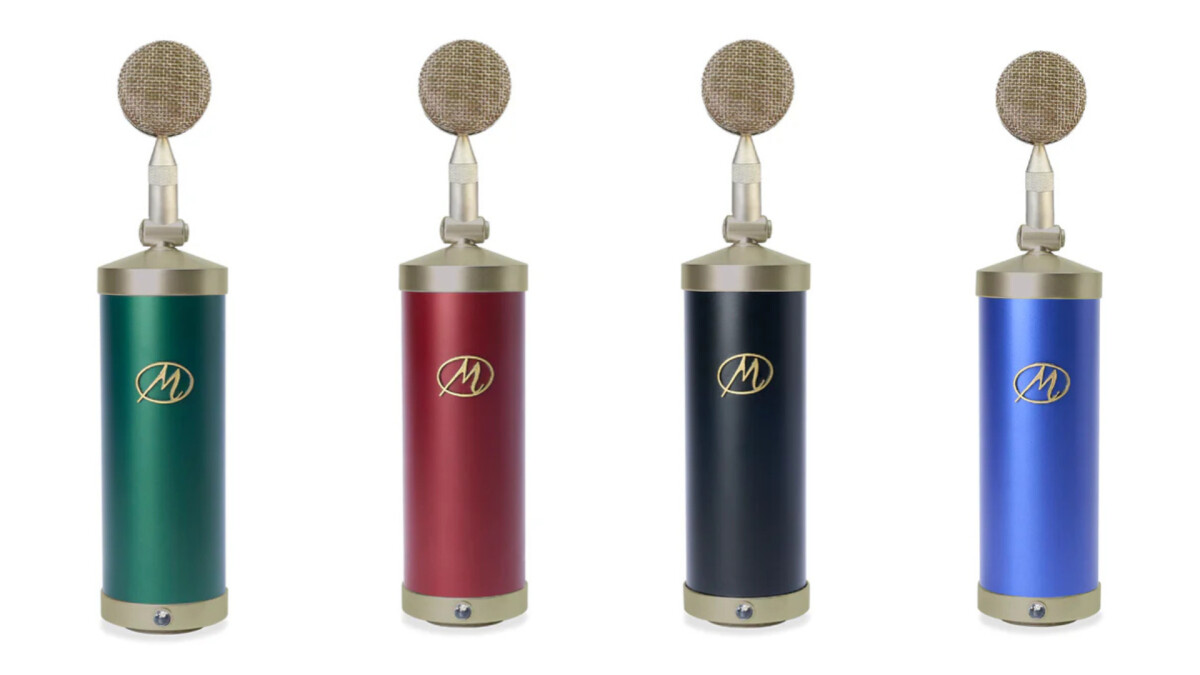
Le Bottle Microphone System revient avec trois capsules et un nouveau système de montage… Lire la suite sur Audiofanzine

The latest arrival to Excite Audio’s Evolve series promises to “blend fragile sonic moments into something intimate yet intangible, half-there, floating at the edge of the ethereal”.
When Taylor Swift released The Life of a Showgirl last October, the superstar drew significant online discourse to two creative acts: interpolation and sampling.
Swift demonstrated these techniques in tracks such as Father Figure — but the differences between sampling and interpolation can often seem blurry. Both creative methods come with legal considerations that, when followed, can protect you from infringing on copyright and ensure you and your fellow producers are getting paid.
To help you navigate these concepts confidently, MusicTech has invited BandLab to share its expertise.
The team behind the massively popular music creation platform has created a guide to sampling vs interpolation, covering the basics on rights, permissions and when to use each technique, ensuring you’re clued up for 2026 and beyond.
What is interpolation?
Interpolation isn’t a new concept. Composers have been borrowing and reworking melodies from earlier tracks before the existence of modern recording tech. But it really hit the spotlight in the late 90s, when hip-hop and R&B producers leaned heavily on replaying the hooks from soul, funk, and pop records instead of sampling them outright.
This let them skip costly sample clearance and gave them freedom to reinterpret the material to fit their creative vision. That era was what cemented interpolation as a creative tool in music production. You’ve definitely heard it in recent hits — Doja Cat and SZA’s song Kiss Me More is a nod to Olivia Newton-John’s 1981 hit Physical, for example.
Interpolation can take several forms depending on what’s borrowed. Using a larger section of a song (like the chords or overall arrangement) and reshaping it is known as structural interpolation. Recreating a melody with different instruments or a fresh vocal take is melodic interpolation. And if you borrow lyrics from an existing song but place them in a new context, that’s lyrical interpolation.
What is sampling?
Sampling has a different backstory. In the 1940s, French composer Pierre Schaeffer experimented with creating new music from tape loops of recorded sound. At first, it was mostly an academic or experimental technique. Fast forward to the late 1980s, and producers were looping funk and soul records and building full tracks around them.
Since then, many genres have embraced the technique, giving birth to countless hits over the years. Think Kanye West’s Stronger, which famously samples Daft Punk’s Harder, Better, Faster, Stronger, which also samples Edwin Birdsong’s Cola Bottle Baby from 1979.
Sampling comes in a few forms, too. When you lift full sections or riffs from a track, that’s loop sampling. Taking short, isolated sounds like drum hits or vocal snippets is known as one-shot sampling. And when you cut and rearrange sections to create a new rhythm, melody, or hook, that’s chop sampling.
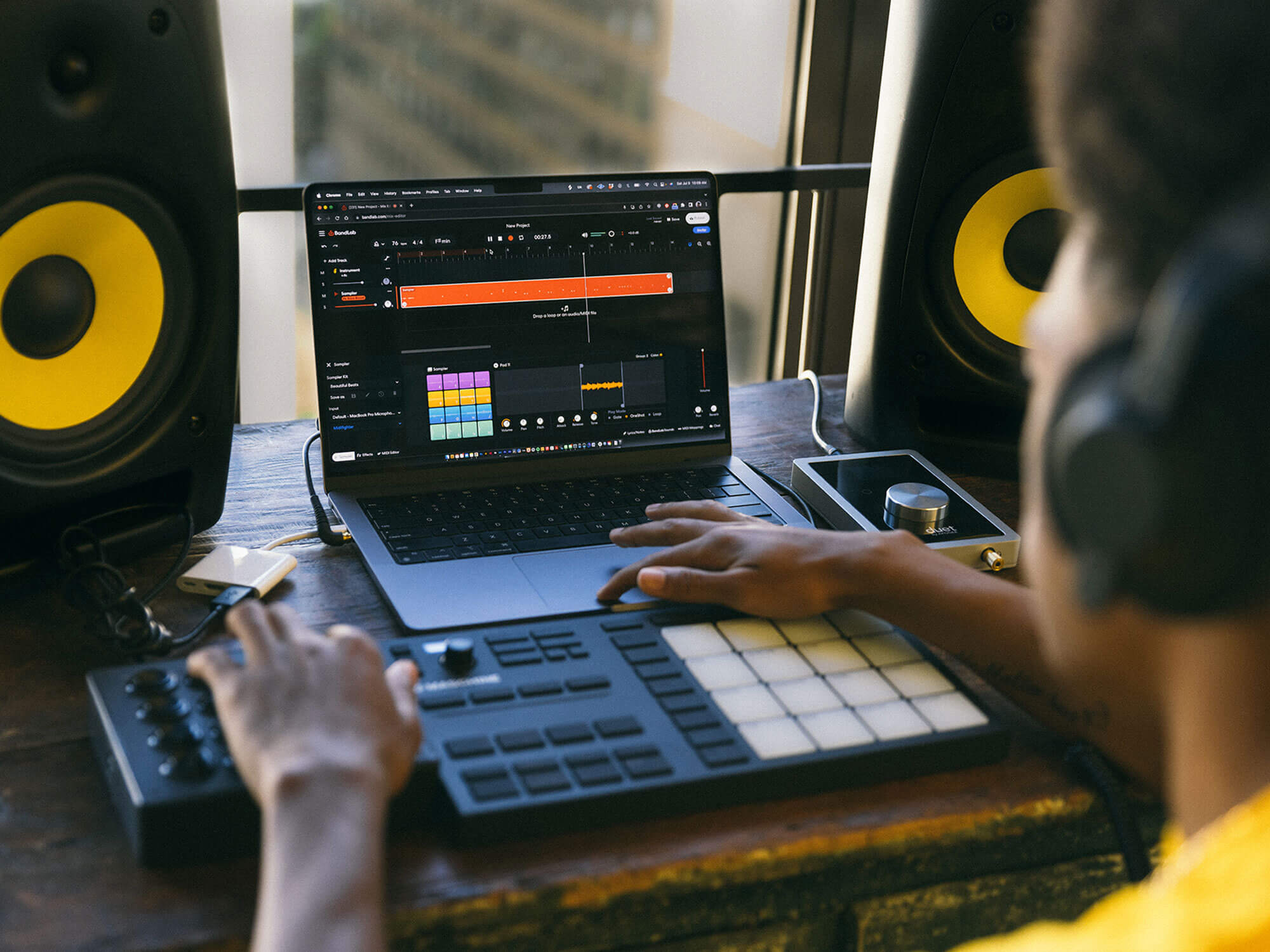
Today, both sampling and interpolation are far more accessible to creators at all levels. Free DAWs like BandLab let anyone work on desktop or mobile without the need for expensive gear. For interpolation, built-in tools like Splitter let you isolate vocals or instruments from songs, analyse them, and re-perform each part. You can also use the free Sampler tool to build custom 16-pad kits, chop loops, and layer sounds right in your project.
If interpolation is often easier to clear legally, why do some creators still prefer sampling? And when is it better to choose interpolation vs sampling? It depends on what your track needs creatively.
When to use interpolation
Interpolation works best when you want to reference parts of a song without using the original recording. Because you’re re-recording it yourself, you usually only need permission from the songwriters or publishers, making the clearance process simpler and less expensive than getting a master use license.
Beyond the legal side, it also gives you more room to get creative. You can swap out instruments, change the rhythm or key, or add your own vocal style, all while still paying homage to the original track.
A strong example of this is Ariana Grande’s song 7 Rings, which reimagines 1965’s My Favorite Things by Rodgers and Hammerstein in a fresh, modern way.
When to use sampling
Sampling makes more sense when you want the specific sound of a recording in your track. Sometimes a vocal tone or texture simply can’t be recreated, and using the original audio brings an authenticity or nostalgic weight that interpolation can’t quite match.
Keep in mind that sampling requires more legal work. You’ll need clearance from both the songwriters and the owner of the master recording, which can make it more complex and costly — but it may well be worth the effort.
Creativity is only half of the equation. The other half is making sure you have the right permissions before you release your track to the world. This is where many creators trip up.
If you’re new to this, here’s some background: Music rights are generally split into two parts: the composition, which covers the melody and lyrics; and the master recording, which is the actual recorded performance.
Interpolation only involves the former, since you’re re-recording the material yourself. Sampling uses both the composition and the original recording, which is why it requires an extra layer of clearance.

How to get permission for interpolation
Start by identifying who owns the song’s composition. This information is public but sometimes tricky to track down. Performing rights organisations (PROs) like ASCAP, BMI, or PRS have databases, and tools like Songview or ASCAP ACE can confirm songwriters and publishers.
Once you know who to contact, you’ll need to explain how the interpolation is used. This includes what part of the song you’re referencing, how prominent it is, and how you plan to release your track.
Publishers often request songwriting credit, a share of royalties, or both. Occasionally, a small upfront fee might be involved, though this is often more affordable than sampling. Everything should be confirmed in writing via a licensing agreement or publishing split sheet before your song goes live.
How to get permission for sampling
Sampling is a two-step process. In addition to clearing the composition, you need permission from the owner of the master recording. This could be a label, an independent artist, a rights management company, or even an estate.
Reach out to both parties separately and clearly outline how the sample is used: its length, whether it’s looped or altered, and how central it is to your track. Each rights holder negotiates independently, and approval from one doesn’t automatically mean approval from the other.
If it’s cleared, you’ll receive a publishing license for the composition and a master use license for the recording. Be aware: some requests are declined, especially for heavily featured samples or works with multiple rights holders.
Staying legally safe when sampling
Don’t wait until after your song is finished (or worse, released) to think about clearance. A common mistake creators make is assuming that small changes are enough to avoid permission.
As you create, take note of what you’ve referenced, where it came from, and how it’s used in your track. Your collaborators should also be aligned on what’s been sampled or interpolated before the song gets released. When in doubt, ask for permission early or consult a music lawyer — it’s always safer than guessing.
How to credit properly
Lastly, make sure you credit other musicians properly. This is important both legally and ethically, and just shows basic respect for the artists who influenced your work.
For interpolations, add original songwriters to your credits and update publishing splits. Make sure these are correctly registered with your distributor and PRO so royalties flow properly.
For samples, credit both the songwriters and the master recording owner as required. Common phrasing includes “contains a sample of…” or “includes elements from…”, and it appears in liner notes, metadata, or official credits.
Regardless of which method you choose, experimenting has never been easier. There are plenty of royalty-free samples available online (over 250,000 in BandLab Sounds alone) that you can use worry-free in your tracks, with no credit required.
Now, with these tips in mind, go ahead and create as confidently as Taylor Swift with interpolation and sampling in your music for 2026.
Read more guides on music production.
The post Interpolation vs sampling: A producer’s guide to music borrowing and clearance in 2026 appeared first on MusicTech.
SoundBridge DAW has been updated to v3.0.0.
SoundBridge is our contribution to a borderless creative world. It is a tool designed to remove the friction of distance, allowing your ideas to bloom exactly as intended and collaborate intercontinentally.
Everything Bundle ($9.99/mo): Total access to the SoundBridge suite, plug-and-play Virtual Collaboration, 18+ hours of Trap/House/Ambient courses, and a premium 1k+ sample bank.
Free Tier & Lifetime Owners ($4.99/mo): Add the managed Virtual Collaboration service at a prorated professional rate.
The Sovereign Option ($0/mo): Lifetime License owners can eliminate recurring collaboration fees by hosting their own Linux + CoTURN instances for private, secure, and independent remote sessions.
