Tous les articles par ToutEtRien

SSL autoSeries Bundle review: Smarter mixing or just another SSL plugin collection?

Solid State Logic autoEQ, photo by press

£119 (£79 introductory price), solidstatelogic.com

Whether it’s made by Waves, Universal Audio, Brainworx, Softube, or an indie developer, chances are you have at least one plugin emulation of a console-style SSL processor. So why would you need more SSL plugins?

Well, autoSeries Bundle has a slightly different design philosophy compared to previous plugins of this kind. Rather than taking a piece of the famous SSL 4000 console and making it available in your DAW in its detailed entirety, autoSeries is focused only on the elements that are truly relevant to in-the-box music production and mixing.

In 2023, SSL’s parent company, Audiotonix, bought Sonible — an acquisition that enabled the technological cross-pollination that is evident in autoSeries. The result is a suite of three plugins: the autoBUS, based on the SL 4000 G-Series bus compressor; the autoDYN, based on the E-Series dynamics section with compressor and expander/gate; and the autoEQ, also based on the E-Series.

Together, the autoSeries trio becomes a toolbox for processing individual tracks, channel groups, and your master bus. Naturally, you can use the autoEQ before the autoDYN or autoBUS dynamics plugins in your processing chain, after them, or both.

What exactly does the AI do in autoSeries?

Each of the three plugins in autoSeries is equipped with the magical green Sonible Learn button that allows the AI engine to analyse the input signal. When you activate the AI, the process works in a slightly different way in the backend of each plugin. On autoBUS, it takes a reading of the peak and average loudness to help you get the best glue compression for your mix or channel group.

The AI works similarly on autoDYN, but pays closer attention to dynamic range and transient behaviour. Meanwhile, autoEQ uses spectral analysis to identify masking and mud-prone areas of the frequency range. However, before you analyse the incoming signal, two features on each plugin provide context and help target the process more accurately.

The first aspect is Profile — this allows you to select the type of instrument you’re working with, and in some cases, the range. For example, if you select the Vocals High profile, you have the perfect setting to analyse a soprano-range lead vocal.

The second function, Style, lets you choose between three character settings that determine the tonal or dynamic processing approach you’d like to take. This allows you to guide how the AI-assistance determines the ideal compression or EQ settings by selecting Bright or Strong settings accordingly. Then, when you hit the Learn button, the analysis takes about 5-10 seconds before the plugin automatically loads the suggested settings. As you adjust parameters, you’ll notice that a green ring surrounds the control that glows brighter as you move further away from the original AI-suggested position.

The concept behind the workflow is to provide you with a creative starting point rather than a finite setting. There will still be cases where autoEQ isn’t cutting quite enough 6 kHz from your drum EQ or autoDYN isn’t grabbing the transients quickly enough. If this is the case, you simply check your Profile and Style settings, as you may need to reanalyse or make manual adjustments.

SSL autoEQ, photo by press
SSL autoEQ. Image: Press

How does autoSeries compare to other SSL-style EQ and compressor plugins?

If you’ve used an SSL bus compressor, channel strip EQ, or dynamics plugin before, the first thing you’ll notice is that the focus of autoSeries is slightly different. Instead of trying to mimic every aspect of the real-life design, there is a distinctive shift toward workflow fluency in every area.

Make no mistake, the autoSeries plugins still sound and behave like SSL EQs and compressors should, but the interface design allows you to dial in your sounds rapidly so that you can move on to the next part of your mix that needs attention.

When you approach an SSL channel strip as a new user, there is that moment of “Hmmm, where do I start?” as you inspect the various processing sections. With autoSeries, SSL has worked hard to eliminate any learning curves or unfamiliarity. To achieve this, the control layout of each plugin is laid out horizontally rather than its traditional vertical orientation. This instinctively suggests a left-to-right workflow progression, which feels more streamlined and similar to many plugins you’ll find in your DAW.

Another key aspect of the autoSeries plugin interfaces is the use of interactive visuals that demonstrate exactly how the various parameters are affecting the signal. As you hover the mouse pointer over each control, you get a detailed reading of the parameter setting, while the visualiser screen gives you a reading of the compressor behaviour or EQ curve.

SSL autoBUS, photo by press
SSL autoBUS. Image: Press

Why choose SSL autoSeries?

SSL’s autoSeries provides the perfect introduction to the brand’s channel strip and bus processing, with an intuitive workflow that even rivals plugins that aren’t limited by being based on hardware interfaces. The use of AI-assisted technology is not invasive, so you might even stop using the analysis function when you’ve truly mastered the processing workflow.

This makes autoSeries ideal for experienced users who like the SSL sound and way of doing things but want a faster workflow. Meanwhile, those new to the idea of using plugins based on the 4000 Series consoles have an excellent platform for learning the ropes while using professional tools at the same time.

For £119, autoSeries is a competitively-priced collection of plugins you’ll likely use on many channels in your DAW projects. You’ll probably find, however, that cheaper alternatives are available for your needs.

SSL autoDYN, photo by press
SSL autoDYN. Image: Press

Key features

  • AAX / AU / VST2 / VST3 plugin
  • Analogue modeling of SL 4000 E channel strip and G-Series Bus Compressor
  • Compressor/limiter and expander/gate
  • 4-band EQ with 242 ‘Black Knob’
  • SonibleAI-assisted signal analysis

The post SSL autoSeries Bundle review: Smarter mixing or just another SSL plugin collection? appeared first on MusicTech.

Audio Damage releases « Descent » Granular Delay & Reverb Effect Plugin

Audio Damage has released Descent, a granular delay and reverb effect that transforms your audio into evolving, otherworldly textures.

At its core, Descent captures incoming audio and breaks it into tiny grains—anywhere from a handful to dozens at once—then scatters them across time and pitch to create everything from subtle thickening and rhythmic delays to vast, frozen soundscapes and shimmering pitch-shifted clouds. With independent control over grain count, duration, overlap, and direction (forward, reverse, or random), combined with extensive randomization for pitch, pan, position, amplitude, and timing, Descent turns any sound source into a living, breathing texture.

Whether you’re adding shimmer to guitars, creating infinite sustain on synth pads, or designing abstract sonic environments, Descent delivers studio-quality granular processing with an intuitive interface and real-time FFT visualization.

Features

  • Granular engine with adjustable grain count (1–64 simultaneous grains), duration, overlap, and envelope shape for precise texture control.
  • Pitch shifting from -24 to +24 semitones with pitch quantization—lock transpositions to specific intervals for harmonically-correct shimmer, fifths, octaves, or any chromatic combination.
  • Six-axis randomization: independently randomize pitch, pan, position, amplitude, duration, and grain count for everything from subtle movement to complete chaos.
  • Direction control plays grains forward, reverse, or randomly mixed—perfect for tape-style effects, reverse swells, and glitchy textures.
  • High-feedback mode with diffusion control transforms delays into lush, reverb-like washes that never get harsh or out of control.
  • Tempo-sync or free-running modes let you lock grain timing to your session or let textures evolve organically.
  • Real-time FFT visualization shows your granular cloud evolving, making sound design intuitive and immediate.
  • 35 factory presets covering shimmers, delays, reverbs, pitch effects, and experimental sound design to get you started instantly.
  • Cross-platform preset manager with XML-based presets compatible across all plugin formats and operating systems.

Pricing & Availability

Descent is available for Linux, macOS, and Windows in VST3, AU, AAX, CLAP and LV2 plugin formats for the introductory price of $29 until the end of March (Reg. $39).

Read More

Babylonwaves releases Art Conductor 26.0 – Articulation-Switching Presets for Logic, Cubase, Dorico, Digital Performer, Studio One, and Cakewalk

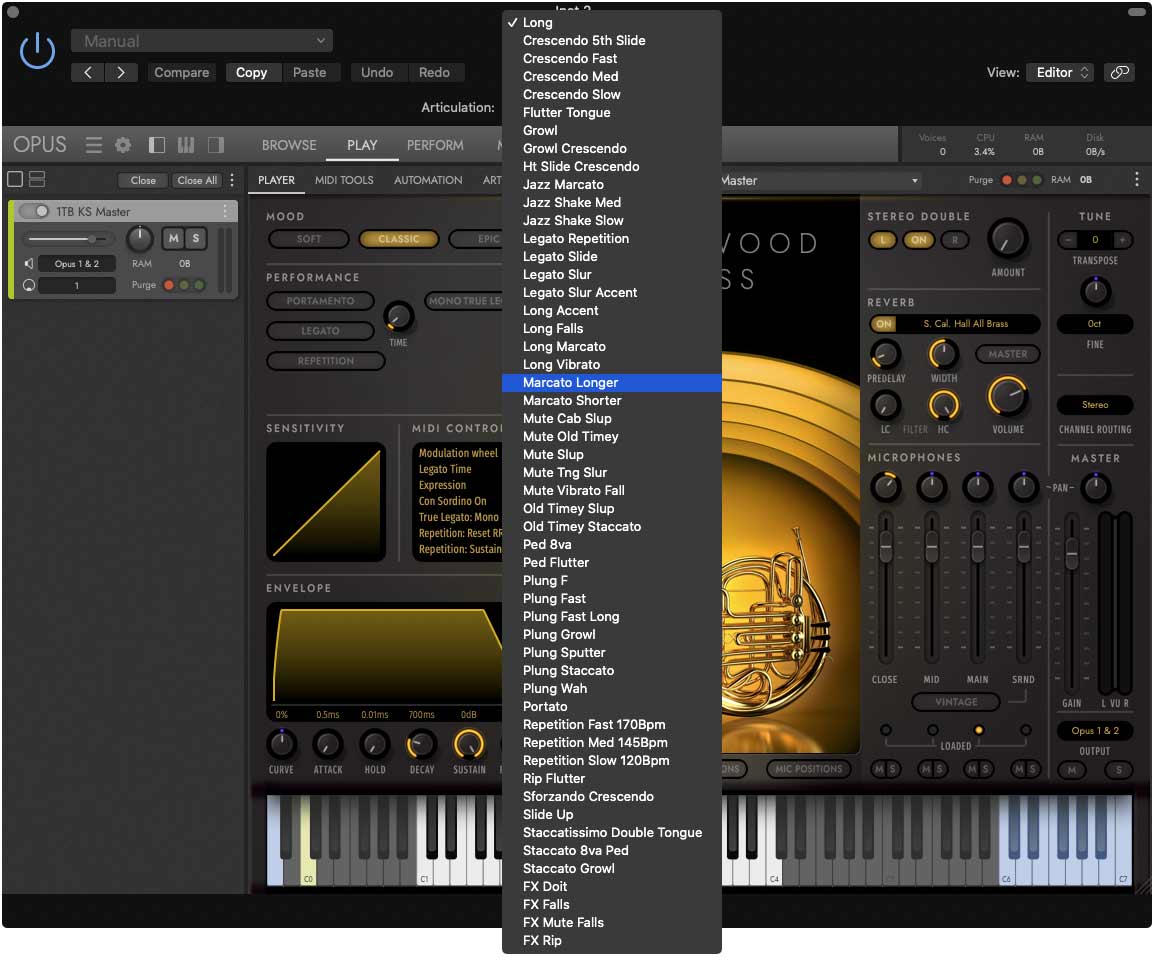
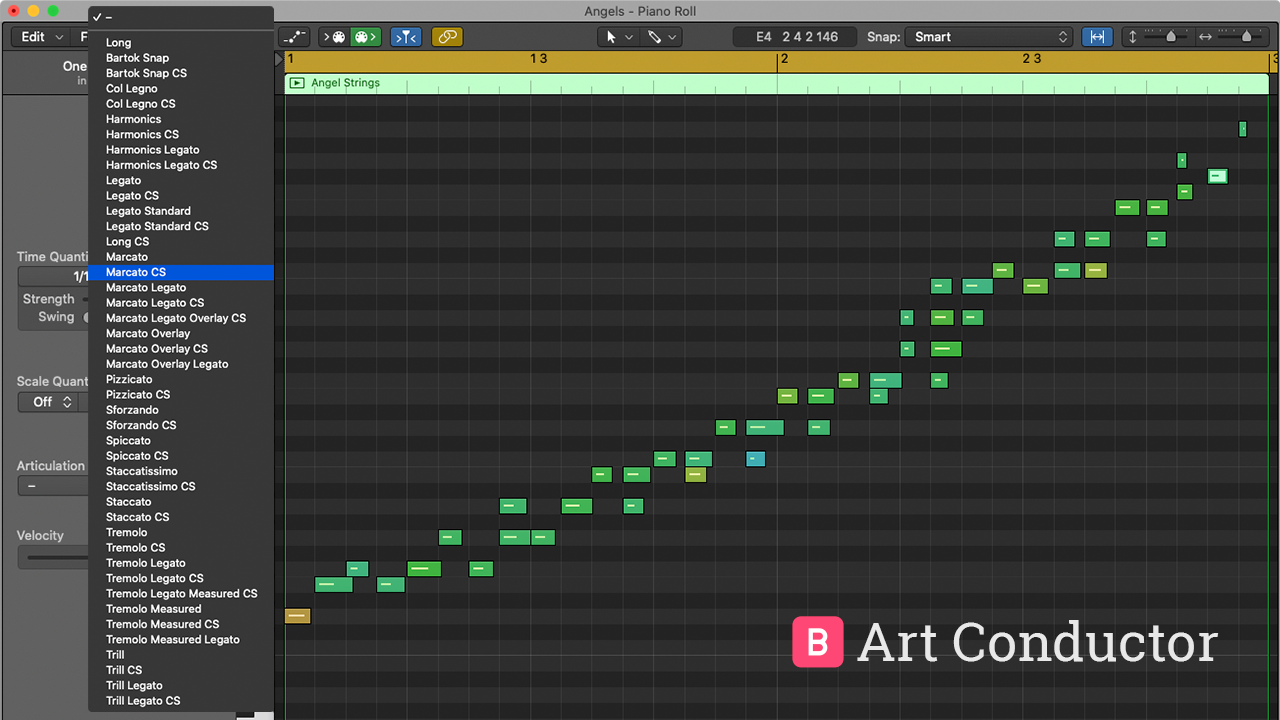
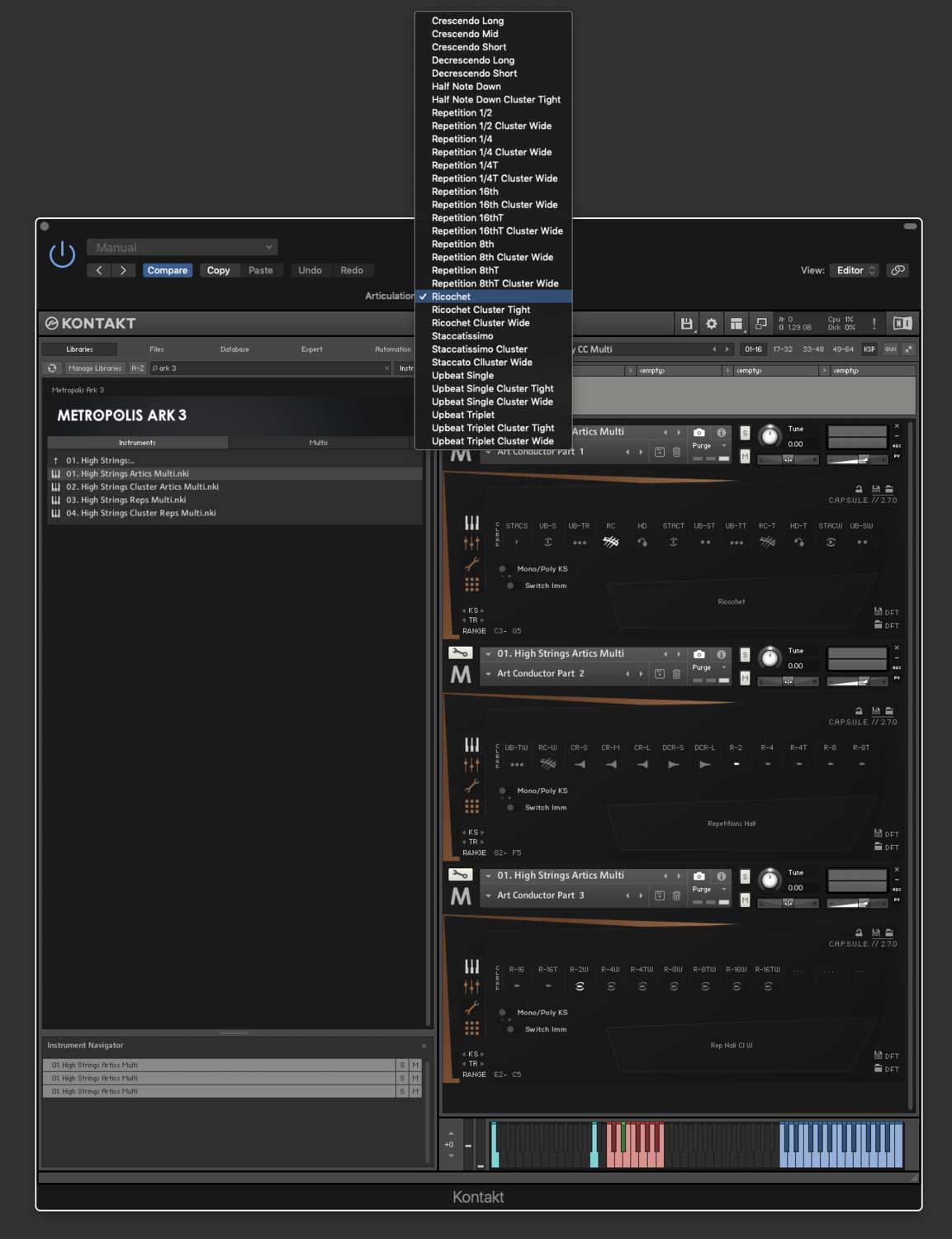
Babylonwaves has released Art Conductor 26.0, a collection of articulation-switching presets for Logic, Cubase, Dorico, Digital Performer, Studio One, and Cakewalk. It supports all major sample libraries.

Art Conductor simplifies the use of orchestra sample libraries by eliminating the need for multiple tracks to access various playing techniques.

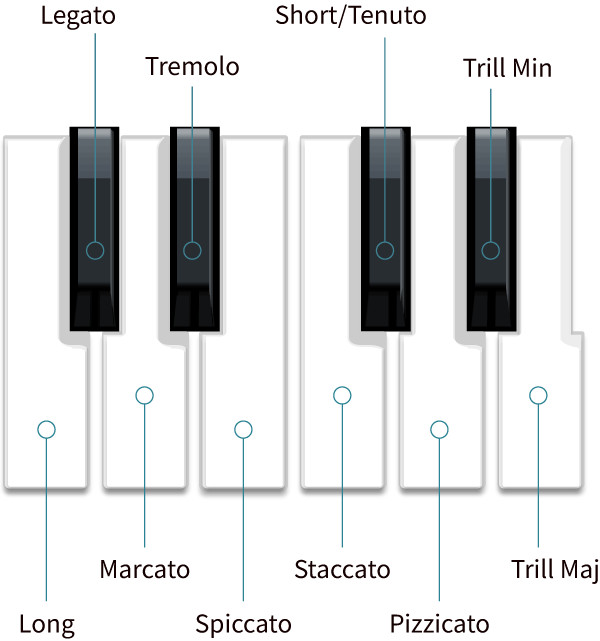
We use standard key switches for essential articulations, so you can focus on your creativity rather than technical details. In supported hosts, you can even drag a region between different instruments, and the techniques assigned to the notes will continue to function properly.

Libraries added in version 26.0:

  • Audio Imperia Glade.
  • Audio Imperia Glade Studio.
  • Authentic Soundware Jazz Anthology Bass.
  • Authentic Soundware Jazz Anthology Drums.
  • Authentic Soundware Jazz Anthology Guitar.
  • Authentic Soundware Space Age Vibraphone.
  • Best Service Ethno World 7.
  • Bestservice NADA.
  • Cinesamples Hardanger Fiddle.
  • Cinesamples South African Voices Female Choir.
  • Cinesamples South African Voices Full Choir.
  • Cinesamples South African Voices Male Choir.
  • CineSamples Tina Guo Electric Cello Snapshots.
  • David Forner Barbarian Cello.
  • David Forner Lux Violin.
  • Fracture Sounds Blueprint Brass Ensemble.
  • Fracture Sounds Blueprint Textural Cello.
  • Fracture Sounds Blueprint Textural Viola.
  • Fracture Sounds Blueprint Woodwind Ensemble.
  • Fracture Sounds Compendium Eldervale.
  • Impact Soundworks Gypsy Fiddle.
  • Impact Soundworks Tokyo Scoring Solo Strings.
  • Insanity Sample The Gurdy.
  • Insanity Samples Dixieland Collection – The Trad Jazz Ensemble.
  • Insanity Samples NEO Woodwind Modern Soloist.
  • Insanity Samples Screamin Blues Collection.
  • Native Instruments Electric Neon Essential.
  • Native Instruments Jam Bass.
  • Orchestral Tools Korven.
  • Orchestral Tools Low End Orchestra.
  • Six String Audio Ultimat Rock Guitar Free Snapshot.
  • Six String Audio Ultimat Rock Guitar Snapshot.
  • Soniccouture Balinese Flutes.
  • Sonora Cinematic Emma Legato.
  • Sonuscore LUX.
  • Sonuscore The Core Essential.
  • Sonuscore The Orchestra Complete 4.
  • Soundiron Hyperion Brass Core Snapshots (Musio).
  • Soundiron Hyperion Brass Pro Snapshots (Musio).
  • Soundiron Hyperion Strings Core Snapshots (Musio).
  • Soundiron Hyperion Strings Pro Snapshots (Musio).
  • Spitfire Aperture Strings.
  • Spitfire Mervyn Warren Choir.
  • Straight Ahead Big Easy Tuba.
  • Straight Ahead La Clarinette En Rose.
  • Straight Ahead Samples Art Of The Alto.
  • Straight Ahead Samples Atomic Big Band The Horns Snapshot.
  • Straight Ahead Samples Big Growling Sax.
  • Straight Ahead Samples Birth Of The Trumpet.
  • Straight Ahead Samples Light As A Flutist.
  • Straight Ahead Samples Sketches Of Flugelhorn.
  • Straight Ahead Samples Tenor Colossus.
  • Straight Ahead Samples The Eminent Trombone.
  • Straight Ahead Sophisticated Bari.
  • Straight Ahead Straight Ahead Bass.
  • Strezov Primal Ethnic Orchestra.
  • VSL Big Bang Orchestra 2.0.
  • VSL Duality Ostinato.
  • VSL Elite Flow.
  • VSL Hello Free Instruments.
  • Westwood Novella Carbon Snapshot.

A complete list of compatible libraries is available here.

Pricing and Availability

Art Conductor is available for Cubase/Nuendo/Dorico (as Expression Maps), Logic (as Articulation sets), Digital Performer (as Articulation Map), Studio One (as Sound Variation), and Cakewalk (as Articulation Maps). The maps are created specifically for every platform.

The price is €115.-

Read More

“A new standard for vocal manipulation”: UJAM’s Voxcraft is its first plugin dedicated to vocal processing – here’s what you need to know

UJAM Voxcraft

UJAM has launched a new vocal multi-effects plugin, Voxcraft, marking its first product dedicated to vocal processing.

Unlike many vocal plugins on the market, Voxcraft does not focus on repair or clean up, but instead is designed for creative processing and sound design. At its core, it offers a voice-shaping section with tools for tuning, formant shifting, and voice multiplication, followed by a chain of effects for dynamics, character, filtering, delay, reverb, and rhythmic chopping.

Voxcraft comes loaded with 100 presets covering a wide range of vocal styles. UJAM says it provides mix-ready results, ranging from vintage-inspired and lo-fi textures to distorted, chopped, and futuristic vocal effects, without the need to stack multiple plugins.

The company also stresses that it offers an intentionally simple interface. Peter Gorges, Co-founder of UJAM, comments: “To maximise flow and inspiration and eliminate frustration with technicalities, we deliberately designed the interface so there are no ‘wrong’ choices.”

Olivia Rodrigo, Lil Yachty and Kelela collaborator and songwriter Jam City also touts the plugin, calling it “truly transformative for vocals”, adding: “I’ll be having fun with this for a long time to come.”

Check it out in the video below:


Voxcraft is available now for an introductory price of $39 until 15 March (regular $69). Find out more at UJAM.

The post “A new standard for vocal manipulation”: UJAM’s Voxcraft is its first plugin dedicated to vocal processing – here’s what you need to know appeared first on MusicTech.