Tous les articles par ToutEtRien

Liquid Hoover Bass

Attack Mag - Synth Secrets - Feat Image

Learn how to make a hoover reese bass patch using u-he’s Diva.

Sometimes an iconic synth patch becomes so embedded in our collective consciousness that we can’t think beyond the references and associations. And today’s subject – the so-called ‘hoover’ – has a LOT of associations. In different guises, it’s been the sound of early 90s rave, the go-to for hard house producers in the 00s, and an EDM staple for the post-2010 generation. 

It was introduced to the world via a patch on Roland’s 80s digitally-controlled analogue synth, the Alpha Juno. Its author, Eric Persing (later Spectrasonics’ founder), must have known this was not your average patch, as he called it “What the” (the ‘f*ck’ is silent). 

But what’s often overlooked is the patch’s versatility. Trying not to open the filter and unload both harmonic barrels is like sticking your arse out the tent in the Amazon one night and trying not to scratch it the next day. That is to say… very hard indeed. 

But this exquisitely-produced track, ‘Break You’ by Former, Sleepnet, and ring noord, inspired us to show you what happens when this searing and iconic patch is tastefully filtered into something more akin to a Reese bass. 

Except this (not really a) Reese bass has immensely expressive – and tough-to-tame – pitch envelope action happening. 

Ultimately, though, it all starts with the traditional hoover noise. Take a listen to what we’re going to make together:

We’ve included MIDI files, Diva presets, and loops to help you get the best possible final result. We’ve also added the Ableton Live project in case you need any help.

Download all the files here to follow along.

Step 1

We’re using u-he’s Diva as it lets us build something close to an Alpha Juno. Start with the ‘Init’ initial patch then load Digital envelopes into both slots, the Multimode filter, the HPF | Post filter, and the DCO oscillator type. 

Then draw in a one-bar-long note on B1. This sound is all about the pitch envelope, so we need a nice long note to judge it precisely. Sounds pretty grim so far, but keep the faith, sisters and brothers.

Step 2

Set the main Tuning Transpose to 0, then both the Pulse and Sawtooth waveforms to PWM, and the Suboscillator to the first from bottom. 

You want a PulseWidth of 46 and a Pulsewidth Mod Depth of 50, oscillator Transpose set to 16 (it’ll show as -12 in the screen above, confusingly), and to set the Env 2 Tune1 Modulation depth to 24. 

Finally, set the HPF to Boost

Play the sound now to have a listen and you’ll discover… it’s not there yet! 

Step 3

Now it’s time to bring those envelopes into play, as that’s when the patch starts to come together. Be sure to keep the sound playing in a loop at all times now, so you can hear what effect each setting has. 

First set the filter Cutoff To about 111, engage the little curve button (labelled c) for both and then apply the following settings: (Digital Env1) Attack 40, Decay 26, Sustain 75, Release 25 and (Digital Env2) Attack 36, Decay 44… annnd… Sustain 64.

Ahhhhh! Now that’s the stuff! 

ENV 2 Sustain is the killer, eh? But before we forget, set Release to 36.

Step 4

In the Amplifier section set Volume to 26 and the main Output synth volume to 80 to stop the patch overloading the channel. 

Finally, we need a little wobble, and for that we’re gonna set LFO 2 (Mod) Rate to 2.7 and the Sync setting to a 1/2 note. 

And that’s it, the core sound is done. 

For the classic Juno hoover sound, quickly engage the Chorus1 effect

Now switch it off again – that’s not why we’re here, remember!

Step 5

To get our bass sound, we simply pull the Cutoff right down to around 60. 

Now we’re talking. But for that wobbly vibe we’re going for we need to use some shorter notes and to tailor some key controls for each. 

To make our lives easier, we’re gonna put each note on its own channel and tweak them individually. Some might call it cheating… I call it ‘programming smart’. 

So duplicate the channel and Diva instance four times for a total of five channels.

Step 6

The timing of the notes is REALLY precise, so load up the five MIDI files , then import the folder of Diva presets and load the corresponding ones for each MIDI file. And while you’re at it, grab the drum loop too, load that up and set your project to 138 BPM.

We’re gonna talk about the subtle differences and what they do, but it’s probably easier to start with the right variations for each. And here’s how it’ll sound together…

bass without drum loop
bass with drum loop

And the individual channels sound like this…

Hoover
Dyson
Deep sub 1
Deep sub 2

Step 7

For all of these presets there are a few controls we’ve adjusted, namely, Env 2 Tune1ModDepth, the two Envelopes Attack values, and the Filter Cutoff

The last obviously affects how much harmonic info is coming through while the first three (highlighted in yellow below) all affect the timing and tuning of the pitch curve of the note. So they’re the really key to the whole groove. 

Plus on some we’ve re-engaged that Chorus1

Step 8

Starting with the two Deep sub channels, you can see how they overlap slightly creating a pseudo portamento / glide effect. 

Each has a carefully timed pitch bend, adjusted to suit the note length. 

Try adjusting those first three parameters we mentioned now to see how this completely transforms the groove and swing of the pattern. 

Then do the same for Open sub. Same thing – just those few parameters can completely alter the timing, groove, and perceived melody of the loop.

Set them back to where they were now then try drawing in some manual Filter Cutoff automation on some of them, as shown below. This creates a nice ‘wah’ / ‘whomp’ effect at the start of some of the notes.

Pretty phat already, right?

Step 8 without drums
Step 8 with drums

Step 9

By the way… yes, I know, I know… Hoover and Dyson use a more open filter. Okay, so we’ve ended up feeding our asses to the jungle mosquitoes and are scratching away after all. But they aren’t really part of the bass groove, per se (and if you’re very sharp-eyed, you’ll spot we changed the sub oscillator waveform for these ones to something a little less heavy… ). 

Now it’s just a matter of a bit of simple processing. 

Step 10

As with any rumblin’ sub bass, we use a bit of EQ to shape the harmonic content, a lot of limiting and compression to phatten them up, a Pultec (attenuation + boost) trick here and there, and a bit of side chain pumping using a 4-4 kick drum as the source. 

Most controversially, we group the two Deep Sub channels then apply a stereo widening effect. 

Have no fear, though, we’re nuts but not crazy, so we also used another plugin to mono the deepest sub frequencies so you can park your worries about them phasing cancelling in the club. 

The full Ableton Live project is included alongside the MIDI files. Be aware that it relies on several third-party plugins.

Grab Diva here.


[social-links heading= »Follow Attack Magazine » facebook= »https://www.facebook.com/attackmag » twitter= »https://twitter.com/attackmag1″ instagram= »https://www.instagram.com/attackmag/ » youtube= »https://www.youtube.com/user/attackmag » soundcloud= »https://soundcloud.com/attackmag » tiktok= »https://www.tiktok.com/@attackmagazine »]

[product-collection]

FabFilter Pro-C 3: The Most Fun You Can Have With A Compressor

Pro-C 3

The latest version of FabFilter’s long-reigning compressor, Pro-C 3, adds new types and character saturation, and overhauls its side chain section, resulting in an incredibly vital and extremely fun dynamics processor. 

Way back in 2015, we declared the original Pro-C from FabFilter one of the 10 best compressor plugins, saying, “If you were forced to pick just one compressor to do everything, Pro-C would be a solid choice.” Eleven years on from that declaration (and 10 from the release of the sequel, Pro-C 2), FabFilter has finally graced us with a new version, and it’s just as vital as ever. Even more so, actually, given all of the new features the Dutch company has bestowed upon it. From new compressor types to saturation, and a seriously incredible side chain section, Pro-C 3 is everything you might need in a modern compressor – plus some things you may not have even considered before.

Type Cast

Pro-C 3

Let’s start with those new compressor types, as the list of included circuits has really grown since the original three, Clean, Classic and Opto. Making their debut in Pro-C 3 are  Versatile, Smooth, Vari-Mu, Op-El, Upward and TTM, the latter being FabFilter’s take on the legendary OTT. 

Including an OTT emulation, which combines both downward and upward compression into a single algorithm, shows how the company’s thinking about its workhorse compressor has changed. The way many producers use software compressors has evolved over the last decade, with many employing them more like effects than just to smooth out wayward transients. Pro-C was tops if you needed a transparent and – dare we say it – sober compressor. With the TTM mode plus upward compression joining the other types (bringing the total to 14), you can now do pretty much any kind of compression all in one place.

So Much Character

Pro-C 3

Even more surprising than the new compressor types is the inclusion of saturation circuits in Pro-C 3, or what FabFilter is calling character, which sets the type and amount of analog-style saturation, color and drift. 

In terms of type, you get three modes: Tube, Diode, and Bright, with a Drive slider for controlling amount, plus a routing switch to choose between Pre and Post compression circuit saturation.

Of course, FabFilter knows a thing or two about saturation. Its Saturn 2 is one of the best multiband saturators on the market, so it’s great to see this making its way into Pro-C 3, especially considering how popular distortion is in music right now. It all sounds wonderful, with the harmonic boosting interacting with the compression in beautiful and musical ways. 

Between this and all of the compressor types now available, there’s really nothing you can’t do with Pro-C 3, from vintage-style opto and tube compression to transparent mastering. 

Your Duckings In A Row

pro-c 3

Pro-C 2 saw FabFilter introduce a Pumping compressor for ducking effects, but as usage of this type of compression has evolved, so too has the need for something a little more involved than just barebones sucking. Thankfully, Pro-C 3’s Side Chain section has gotten a real overhaul, with both internal and tempo sync styles advancing considerably.

Let’s look at the latter first. While you can still side chain Pro-C 3 to an external signal, the new Host Sync option lets you tie the pumping effect to your DAW’s tempo, with a beat division dropdown menu and Offset slider for pushing off the beat also available. You can even have it triggered by incoming MIDI notes for more complex rhythmic sequences. Use this in conjunction with the Attack and Release knobs plus the Hold function to dial in the modulation. Of course, the GUI also lets you see exactly what’s happening, which will look instantly familiar to anyone who’s used soft synths like Massive or Pigments.

Any good compressor will have an internal side chain circuit, where you can use a basic EQ to remove frequencies from incoming audio. Say you’re processing the drum bus and want to squash just the tops but the kick keeps triggering the compressor; by using the internal side chain, you can remove low fequencies from the compressed signal. Useful but not very exciting – until now. By putting a mini Pro-Q inside the side chain and letting you work with up to six bands, plus everything else you might expect from an EQ plugin, like mid/side processing and a side chain EQ amount slider, it suddenly opens up all sorts of dynamics processing options. 

Sound Design

Let’s hear how Pro-C 3 sounds in action. We’re using it on some different elements in an acid-flavored track.

Here it is processing the 303 line through the new TTM circuit with character saturation in the signal.

First in bypass:

And then engaged:

Next, we’re running a drone through Pro-C 3 with the Host Sync side chain function enabled for a tremolo effect.

First in bypass:

And then engaged:

To hear the internal side chain working, here’s Pro-C 3 on the drum bus processing two loops and a 909 kick.

First in bypass:

With no side chain:

Lastly with side chain:

Compress To Impress

Pro-C 3

This is really just scratching the surface of what Pro-C 3 can do. It’s also got a clever Auto Threshold function that acts like a volume rider, great for keeping vocals or other live performances in check. It supports up to 9.1.6 immersive/surround if that’s your bag, and it features an excellent selection of presets to get you started. It also now works in Pro-Q 4’s instance list, meaning that if you’re using Pro-Q 4 as your master EQ, you can control the Pro-C 3 on each channel from that single plugin. Pretty slick.

Ultimately, though, Pro-C 3 is just fun to use. How often have you said that about a compressor? The new types and character encourage experimentation – you can spend hours trying the different compression algorithms with varying degrees of saturation – and the expanded side chain section is like a revelation. There’s so much sound shaping to do here beyond just boosting presence and punch. And the familiar and intuitive graphical user interface is helpful as always, providing visual reinforcement for what you’re hearing.

There’s no AI, of course. Someday, we may see an AI-assist feature in a FabFilter product, much like SSL did recently with its autoSeries collaboration with Sonible, but honestly, that would be a shame. There’s so much fun to be had here; letting AI handle the settings would be like paying a robot to ride a roller coaster for you. In 2015, we said, “Pro-C has one of the most intuitive user interfaces you’ll come across, with scrolling real-time waveform displays of the level of gain reduction and the impact of the compression on the signal. As such, it’s a great way to learn about the effect compression has on sounds, visualising the impact as you adjust parameters.” That hasn’t changed. It’s still just as informative. Now it’s fun too.

[rating buy= »FabFilter Pro-C 3″ price= »£149″ link= »https://www.fabfilter.com/products/pro-c-3-compressor-plug-in » value= »4″ versatility= »5″ sound= »5″ ease_of_use= »4.5″ overall= »5″ text= »Versatile, excellent sound, and endless fun. »]

[social-links heading= »Follow Attack Magazine » facebook= »https://www.facebook.com/attackmag » twitter= »https://twitter.com/attackmag1″ instagram= »https://www.instagram.com/attackmag/ » youtube= »https://www.youtube.com/user/attackmag » soundcloud= »https://soundcloud.com/attackmag » tiktok= »https://www.tiktok.com/@attackmagazine »]

[product-collection]

NOT BAD FOR A GIRL Issues Open Letter on Line-Up Inequality

Attack Mag - News - Feat Images Martha Bolton

Open letter highlights regression in non-male artist bookings and urges industry-wide action to address imbalance.

An open letter from UK collective NOT BAD FOR A GIRL (NBFG) is drawing attention to a stark decline in gender diversity across club and festival line-ups. Written by Founder and Director Martha Bolton, the letter cites newly released statistics showing that some 2026 events feature as few as 10% non-male artists — a significant drop from 28% in 2022.

Bolton’s message urges promoters, bookers, fans and fellow artists to take practical steps towards reversing the trend, warning that continuing in this direction threatens the sustainability and cultural richness of the UK’s dance music scene. The letter has already been endorsed by artists including Jyoty, Jamz Supernova, and Saoirse, alongside key industry figures from Defected Records, the Featured Artists Coalition and He.She.They.

Representation in Decline Despite Earlier Gains

The open letter outlines a series of observations from upcoming 2026 festival and club line-ups, comparing them to diversity benchmarks established in previous years. At one major UK festival, NBFG notes that nearly 80% of booked acts are male, with all headline slots filled by all-male groups. Another event shows similar trends, with no visible representation of trans or non-binary artists.

In the club sector, the pattern is repeated. A Manchester venue recently announced a season with 75% male artists, while a London club features at least one line-up composed entirely of men. These figures suggest a marked backslide from the upward trend seen in the Jaguar Foundation’s 2022 report, which tracked gender-diverse representation rising from 14% in 2018 to 28% in 2022.

The implications, Bolton argues, are far-reaching. “Fewer bookings lead to less income, reduced visibility, and fewer chances to progress into headline slots,” the letter states. “Over time, this creates a cycle where artists are deemed ‘too risky’ because they were never given the chance to build momentum.”

A Call for Industry-Wide Commitment

NBFG’s letter outlines four calls to action. Promoters and bookers are urged to commit to more inclusive programming at all levels — including headliners. Fans are encouraged to support events with diverse line-ups through their purchasing choices. Artists are asked to use tools like inclusion riders and platform-sharing to support underrepresented peers. And all industry participants are invited to sign the letter and speak up against inequality when they see it.

The tone remains collaborative rather than confrontational. Bolton writes, “We’ve chosen not to name names because the market is hard enough, and we don’t believe that finger-pointing is a useful tool for positive change.”

NOT BAD FOR A GIRL has spent the past seven years advocating for non-male and gender-diverse artists in dance music through club nights, festival stages, workshops, and label releases. Their latest campaign builds on that work, encouraging supporters to take an active role in shaping a more equitable future for the scene.

Supporters can read and sign the open letter on NBFG’s website. Read and sign here.

[social-links heading= »Follow Attack Magazine » facebook= »https://www.facebook.com/attackmag » twitter= »https://twitter.com/attackmag1″ instagram= »https://www.instagram.com/attackmag/ » youtube= »https://www.youtube.com/user/attackmag » soundcloud= »https://soundcloud.com/attackmag » tiktok= »https://www.tiktok.com/@attackmagazine »]

[product-collection]

To the MAX: How Cherry Audio Turned the Roland SH-5 Into a Soft Synth

Emulating classic synthesizers for plugins is something of a dark art. We talk to Cherry Audio to find out how they turned the rare Roland SH-5 into their newest plugin, SH-MAX.

Cherry Audio has an astonishing work schedule. Their latest plugin, SH-MAX, is their 37th instrument in eight years. Given the speed with which they crank out soft synths, you’d think Cherry Audio had a massive team or they were at least farming out the work. But no, it’s just a handful of people beavering away, turning rare and much-coveted analog synths into code.

From the outside, this process of converting hardware analog richness into a plugin that you can load in your DAW and play seems more like a dark art than your usual coding. We spoke to Dan Goldstein, Cherry Audio’s Chief Technology Officer and the driving force behind the DSP of the vast majority of the company’s instruments, to find out how they do it, with a special focus on their latest, SH-MAX, a sort of greatest hits of Roland’s 1970s monophonic synths.

Choosing the Right Synth

Dan’s personal synthesizer collection

The emulation process actually starts long before any code gets written. First, the Cherry Audio team has to choose the synthesizer they want to recreate. Although there are a number of things to consider, including customer requests, an important factor is access to the original hardware. 

“It’s insane. It’s massive, the number of synths he has,” says Robert Saint John, Cherry Audio’s Director of Marketing, about the personal collection that Dan has to pull from. “But he doesn’t have everything.” If Dan or another member of the team (they’re all synth nuts) doesn’t have the synth at hand, they’ll try to find one, like the Korg PS-3300 they had to visit to measure and record.

In the case of the SH-MAX, they decided to take a slightly different approach and combine the best bits from different models in Roland’s 1970s SH line. “It was a fun change to be able to say, ‘Why don’t we take the VCO from the SH-7 and the (additive oscillator from) the SH-3A,’” Dan says. “On the SH-7, you can blend these square waves together like an organ, but on the SH-3A, you can actually choose different waveforms for those octave sliders. We said, ‘Well, it’s not part of the SH-5, but let’s put it in there anyway. Let’s do things like audio rate filter modulation and aftertouch, which isn’t part of any of the SH line, and really push it.’ It was fun. Honestly, all of these projects are fun. I love synthesizers.”

[quote align=right text= »You really have to love the synthesizers and spending time with them because the majority of the emulation process, it turns out, is just turning knobs« ]

Turning Knobs

The new Cherry Audio SH-MAX was modeled from the Roland SH-5, SH-7, SH-3A, SH-2000, and System-100

You really have to love the synthesizers and spending time with them because the majority of the emulation process, it turns out, is just turning knobs. Of course, there’s the art department’s input, and sound design further on down the line, but for Dan, it all comes down to painstakingly recreating the behavior of the target synth.

“What we are trying to do with every one of these is turn every single knob and move every single switch and every single slider and figure out exactly what’s happening internally with the circuitry, and measure what it does to the sound, so that we can replicate that,” Dan explains. “It is first and foremost a very tedious and frankly boring process a lot of the time. It is not exciting work.”

He goes on to explain the process further: “It is a lot of moving a knob a little bit and then measuring what it’s done to the sound, and then moving it a little more and measuring what it’s done, and then ultimately trying to figure out the curve or the shape of the modification to the sound so that we can exactly replicate it.” 

It’s a numbers game, with the more effort they put in, the better the emulation turns out to be. “In the end, it’s just time-consuming, careful measurements,” he says. “There’s no magical secret to it.”

Oscillators and Filters

Roland synths from the 1970s were big and beefy

Roland’s 1970s synthesizers had a very different sound from their later instruments. Big and beefy, these early analog monos were more like American synths than what we would come to expect from the clean and polite Roland of the 1980s. So how did Cherry Audio emulate the monstrous oscillators on the SH-5?

“In the case of the SH-5, there’s really nothing unique about its oscillators,” says Dan. “Surprisingly, with most analog synthesizers, the oscillators themselves in isolation are generally the same. They’re made by charging a capacitor. They charge and discharge and the shapes of the raw oscillators don’t tend to differ that much.” The SH-5 does have some special features in the oscillator section, like ring modulation and two types of oscillator sync, which Dan was careful to emulate, but ultimately the sound of the synth isn’t just the oscillators. Says Dan: “It comes from the oscillators through those filters.”

Unusually, the SH-5 has two filter circuits: a multimode with lowpass, highpass and bandpass, and then a second bandpass filter with its own circuit. “It’s a different kind of filter with a different filter shape than the VCF,” Dan explains. “Essentially all four of these filters have to be modeled and they all contribute to the sound of this instrument.”

They’re also very aggressive. “When you crank that resonance up, that resonance is really loud and surprisingly distorted,” he says. “It overdrives. The resonance itself gets clipped. It can be beautiful.”

Modifying the Modulation

Another key element to the overall sound of a synthesizer is the shape of its envelopes. The rate at which amplitude and filter envelopes rise and fall is different from instrument to instrument – and entirely dependent on the internal circuitry.

[quote align=right text= »A synth’s envelope shapes can have a major impact on the sound and feel of the instrument.« ]

“You get an envelope on a synthesizer by charging a capacitor,” explains Dan. “In most synthesizers, it’s a logarithmic shape. It jumps up quickly and then smooths out at the top. Some analog synths have software envelope generators, and those are usually linear, just a straight line. The SH-5’s attack is exponential. It starts off slow and then rises quickly.”

This gives the SH-5 a very different feel. This is especially noticeable when you’re playing a pad or string sound. “You hit a note and it slowly fades in and then roars to life,” says Dan. “Even if you’re not measuring this, even if you don’t have it on a scope and you’re not calculating this, it feels different to play it.”

Measuring the Hardware

Comparing the original hardware (left) with the modeled plugin (right).

Speaking of measuring, how is Dan able to recreate these curves so the software emulation behaves like an analog hardware synth? Is it just great ears?

“No, in the case of the envelopes, there’s a few things that have to be measured,” Dan answers. “One is obviously the shape, and then the other with every synthesizer is the time.” 

How long does it take to get from the zero point of an attack stage to its greatest volume? What about all the values in between? Dan continues: “Most synthesizers are not linear with their envelope sliders, meaning if the maximum time is 10 seconds, the middle position is not five seconds. It’s usually two seconds or something like that. This is part of the tedious process.”

To capture all of this information, Dan makes audio recordings. “I hit a note at the fastest speed, and then I turn it up a little bit, and I hit the same note, and I keep doing that until I have measured the entire range from fastest to slowest, and then I pull it into an audio editor,” he says. “In the audio editor, you can very clearly see the shape of that envelope.”

Of course, Dan also has quite a bit of personal experience to fall back on, both with hardware and software – but he still has to put in the legwork. “The benefit of us doing 37 synthesizers is I can look at what’s coming out of a synthesizer and I can have a pretty good idea of what that circuitry is doing. Then I can look at the schematics and verify and confirm that it’s working the way I think it is. But no matter how much experience I have, there’s still the long, tedious process of just measuring everything. Oscilloscopes, spectrum analyzers, and just recording audio and looking at it, those are the tools of the trade. That’s what I spend all my time with.”

Reusing Code

The effects section in the SH-MAX is the same as in other recent Cherry Audio releases (so you can save and share effects presets across plugins) but the synthesizer section was all custom-emulated.

Thankfully, having done this a fair few times already, Dan doesn’t have to start from zero at the beginning of a project. He can re-use code and then make adjustments where necessary. For example, with the filter. “I will generally start with a generic digital four-pole state variable filter that matches the circuit that we’re emulating,” he says. “Then I will customize it over this long, tedious process to respond and behave to match the hardware.” 

This is true of the envelopes as well. “There are things like envelope generators that don’t change much between synthesizers,” he points out. “But then for every single instrument, we have to measure the maximum attack, the minimum attack, the maximum release, the minimum release, the curve of that control as you move it, and then transpose what the hardware does and what its limitations are onto that basic capacitor charging and discharging algorithm that we use.”

A Release Is Never Finished

The sequencer in the SH-MAX was inspired by Model 104 in the Roland System-100.

Our last question for Dan is one that most creatives will have struggled with at some point: how do you know when a project is finished?

“It’s a good question,” Dan answers. “With the Mercury-8, our Jupiter-8 emulation, I knew we were finished when I could take any sound on the Jupiter-8 and send it to the software and have it sound identical. Likewise, any sound from the software could be sent to the hardware over SysEx. When they sounded the same, that’s when I knew that we were done. If you can turn the knobs between the software and the hardware and hit a note and have them sound the same, then I know that we’ve done it right.”

However, even once they’ve shipped the project, they’re not necessarily finished. There are updates, new ideas to implement, additions. “What’s great about modern software is that we can fix a bug and push the fix out to our customers, and what didn’t work yesterday will work flawlessly today,” Dan says. “It’s one of the things I love about modern software. Our products never have to be done, they can always be fixed and improved, just like a song can be remixed and re-recorded, remastered and re-released.”

For Dan and his team, the work never stops. Even after the hundreds of hours of measuring and comparing, they’re still making tiny changes, even after release. “I’m constantly making minor changes to the filter resonance and overdrive, to more perfectly match what I’m seeing in the hardware. We might not sell more copies because of these tiny changes, but I’ll know that the hardware and software line up perfectly. I suppose that makes us a bit obsessive, but I can’t stress this enough: this is obsessive work.”

[social-links heading= »Follow Attack Magazine » facebook= »https://www.facebook.com/attackmag » twitter= »https://twitter.com/attackmag1″ instagram= »https://www.instagram.com/attackmag/ » youtube= »https://www.youtube.com/user/attackmag » soundcloud= »https://soundcloud.com/attackmag » tiktok= »https://www.tiktok.com/@attackmagazine »]

[product-collection]

Butch – “Creativity Comes From Working, Not Waiting”

With the release of his new single “Formula E” on DJ Tennis’ Life and Death label, we caught up with the ever-inventive German producer and DJ Butch for a quick Q&A.

What’s your greatest fear?

Outliving my children.

What is the trait you most deplore in yourself?

Losing time to pointless internet distractions.

If you weren’t making or playing music, what would you be doing?

Graphic design.

What was your most embarrassing moment?

That’s none of your business.

What would your superpower be?

Flying.

[quote align=right text= »Creativity comes from working, not waiting. »]

If you could bring something extinct back to life, what would you choose?

Clubbing without phones.

How do you like to finish your sets?

With something beautiful.

If not yourself, who would you most like to be?

I don’t want to be anyone else.

When’s the last time you changed your mind about something significant?

Every time it’s necessary.

What sparks your creativity?

Creativity comes from working, not waiting.

Who’s the next name everyone should know?

I honestly don’t know.

Favourite sportsperson ever?

Yusuf Dikeç.

Who taught or helped you the most?

DJ-wise: Amir and Richie Hawtin.

Worst job you’ve ever had?

Shoe salesman.

Which track do you wish you’d made?

Nathan Fake – The Sky Was Pink (James Holden Remix)

What’s the worst track or set you’ve ever done?

Too many to count.

How do you organise your music collection for your sets?

Too complex for this type of interview.

Recommend a film.

Rubber.

Recommend a book.

The Catcher in the Rye.

Who or what deserves more credit?

Medics in war zones.

What gets too much hype?

Morons.

What can’t you stop doing?

Making music.

What’s your guilty pleasure?

Candy.

What’s your biggest frustration in the music world?

Morons.

Favourite label and why?

Finicky — consistently featuring the best artists.

What’s the hardest thing about making or playing music?

Being physically unfit.

Butch « Formula E » is out now on DJ Tennis’ Life and Death Label. Buy on Bandcamp.

Find Butch on Instagram.

[social-links heading= »Follow Attack Magazine » facebook= »https://www.facebook.com/attackmag » twitter= »https://twitter.com/attackmag1″ instagram= »https://www.instagram.com/attackmag/ » youtube= »https://www.youtube.com/user/attackmag » soundcloud= »https://soundcloud.com/attackmag » tiktok= »https://www.tiktok.com/@attackmagazine »]

[product-collection]

The Best Free Plugins For 2026

free vst

The quality of free plugins just keeps getting better. These are the best free plugins for 2026.

We really are spoiled for choice. Not only are paid plugins better than ever, with analog-style instruments sounding more realistic every year, and hardware emulations of classic gear making in-the-box production that much more professional-sounding, we’re also blessed with a plethora of free ones. It’s a veritable VST smorgasbord out there. So much so, in fact, that it can be hard to know what’s worth downloading and what’s not. 

Here’s a list, then, of what you need to have in your AU and VST folders. These are the best free plugins for 2026 presented in no specific order. Instruments and effects, they’re all here. And all free.

Vital Audio Vital

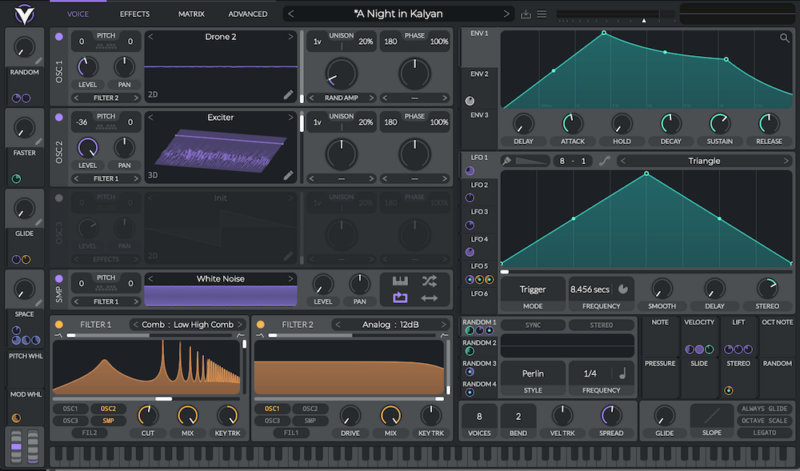
Of course, we have to start this list with Vital from Vital Audio, aka Matt Tytel. Although it’s not the new kid on the block anymore, Vital remains a (wait for it) vital wavetable synth to rival the big dogs like Serum and Pigments. And while there are paid variants, the free version is just as good, complete with morphing wavetables, stereo modulation, keytracking LFOs, MPE and all the other good stuff. You just don’t get as many wavetables and presets as in the paid versions.

There’s a reason we listed it as one of the ten best wavetable soft synths you’re not using.

Find out more on the Vital website.

Surge Team OB-Xf

You’re probably familiar with Surge, the freeware super synth maintained by a team of dedicated coders. While it certainly could sit comfortably on a list of the best plugins of 2026, we’ve decided to give its seat instead to OB-Xf, an emulation of the Oberheim OB-X built by the same Surge Team.

If OB-Xf sounds familiar, that’s because it started from the same code as OB-Xd, the classic freeware synth now stewarded by discoDSP. discoDSP has made the (rather unpopular) decision to charge for OB-Xd, so now Surge Team has forked the original code and continued development. It’s currently in beta, so downloader beware, but it sounds great and will tick all those Obie boxes for you.

And if you’re in need of a new freeware sampler, check out the just-announced Shortcircuit-XT from the same people.

Find out more on the Surge Team GitHub.

Valhalla Supermassive

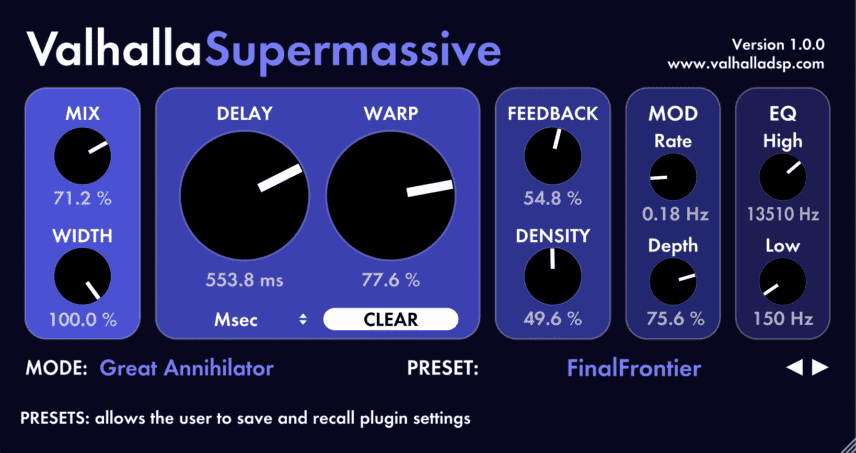
When it comes to algorithmic software reverbs, you can’t beat Valhalla. Sure, there are better — but they’re also more expensive. Valhalla only charges $50 for its effects plugins. But free is even better than cheap, and that’s what Supermassive is.

Supermassive is (as the name suggests) best for huge reverbs. You know, the kind that YouTube synthfluencers drown their demos in to make themselves sound better. Or you can use it to turn any sound into a pad. It’s also got a delay circuit that specializes in huge feedback washes. 

And Valhalla keeps updating it. There are now a whopping 22 modes of reverb/delay to play with. Massively essential.

Find out more on the Valhalla website.

TDR Nova

Dynamic EQ isn’t the rare beast that it once was. Nova from Tokyo Dawn Records (that’s TDR to you and me) used to be one of the few available EQs with dynamics built in. Although that’s changed, Nova is still very much worth the download, chiefly because it’s so darned easy to use. Even if you’ve never tried a dynamic EQ, you’ll be ducking frequency bands to the sidechain input in no time at all.

Although the four bands you get in the gratis version will probably be enough to work with, you can level up to the paid Gentlemen’s Edition (€60) for two more nodes and other additional functionality. 

Download Nova from the Tokyo Dawn Records site.

Xfer Records OTT

Xfer Records is best known as the developer of the world-beating Serum, which has had such an outsized influence on electronic music it’s not even funny. Serum isn’t the team’s only product, though. Along with paid plugins like the excellent LFO Tool, there’s also OTT, which may rival Serum in terms of appearances on tracks. (It’s so common, even FabFilter has aped it in its recent Pro-C 3.)

A multiband compressor, OTT uses simultaneous downward and upward compression across three bands to generate monstrous results. It’s not called Over The Top for nothing.

Get OTT from the Xfer Records website.

Caelum Audio Flux Mini 2

A good LFO tool is indispensable. While there are plenty available that are capable of all kinds of craziness, if you just need something to handle basic volume ducking duties and the occasional filter wobble and don’t feel like laying out any cash, Flux Mini 2 from Caelum Audio fits the bill perfectly.

Based on the bigger and more powerful Flux Pro, Flux Mini 2 lets you draw in LFO curves to affect filter cutoff (low-, high- or bandpass), filter resonance, and mix, but the one you’ll probably use the most is amplitude for sidechain-style volume modulation. Plus, it can send MIDI CCs to control other plugins.

Find out more at the Caelum Audio site.

Splice Instrument

Spitfire Audio’s LABS was a fantastic, free and ever-growing plugin packed full of unique and very usable Spitfire sampled instruments. And then it went paid (as LABS+). Now, thanks to Splice owning Spitfire, it’s back again in the form of Instrument, a freemium plugin with a free tier that revives LABS and adds new monthly instruments. (If you want more, you can upgrade to one of two paid levels with access to exclusive content and credits to use across Splice.)

How much you want to engage with the Splice ecosystem is up to you, but the free content in Instrument is nothing short of fantastic. This is Spitfire we’re talking about, after all, with sounds that include a piano recorded at Philip Glass’ home, drum performances by session musician Abe Laboriel Jr., and the BBC Symphony Orchestra captured at Maida Vale Studios.

Find out more.

Dawesome Zyklop

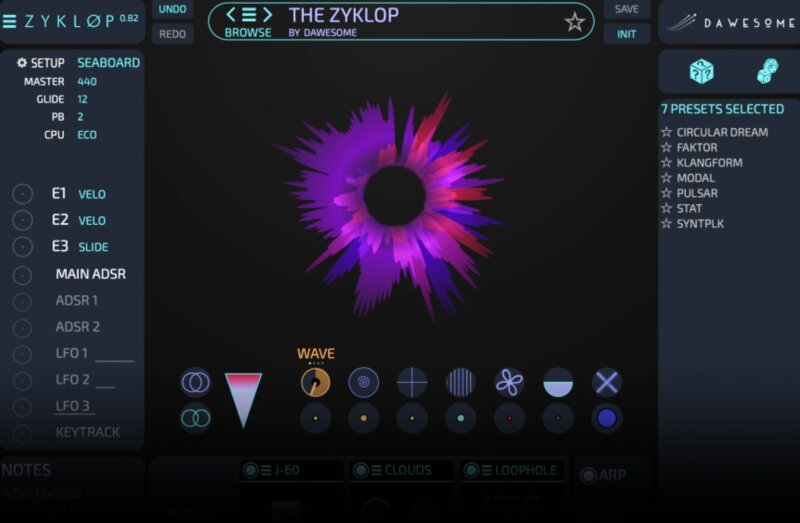
Two years ago, we called Zyklop from Dawesome one of the best secret sauce plugins of 2024. It certainly still is that, and it’s also one of the best free plugins for 2026. 

Based on the bigger Myth instrument, Zyklop uses resynthesis to transform any sound you throw at it into a complex waveform that you can then use in a traditional-style synthesizer. While you only get a single oscillator, Zyklopdoes offer eight voices and enough synthesis modules and effects to be very useful. It also sounds amazing: wild and like nothing else really.

Download Zyklop here.

Usual Suspects JE-8086

OK, this is a big one. Usual Suspects is a crack team of mad geniuses that figured out how to emulate the Motorola DSP chips found in 1990s synthesizers like the Access Virus series, Waldorf Micro Q and Microwave 2, and Clavia Nord Lead 2X. Recently, they managed to reverse-engineer the Toshiba chip in the Roland JP-8000, perhaps the most famous of the era’s virtual analog synths and the progenitor of the supersaw wave.

If you’re unfamiliar with the Usual Suspect’s work, these are chip emulators, not software recreations of synthesizers. That is, they host the actual ROM from the original instruments. Without this, you won’t hear a sound. And, as this is a legal gray area, we can’t tell you where to get the ROM. But once you do find it, you’ll have the original JP-8000 in your DAW. What a crazy world we live in.

Find out more on the Usual Suspects site.

Ewan Bristow Plugdata Patches

For this last one, we’re going to recommend a developer rather than a single plugin. Because you really need to know about Ewan Bristow.

Ewan Bristow has really blown up in the last year. He makes what he calls “weird audio devices” and they really do live up to that description. There’s a spectral delay, spectral resynthesis sound manipulator, cepstral morphing (we’d be lying if we said we knew what that was), a spectral filter that converts wavetables into filter shapes, and much more. His work is universally unique and excellent-sounding.

The only catch is these are plugdata patches, not discrete plugins, so they need to be run in the (also free) plugdata programming environment. But you can use Ewan’s creations as you would a plugin, you just need to load the plugdata VST first. Sort of like an ensemble inside Reaktor. (Update: Ewan is now doing regular plugins too! Check them out here.)

Learn more at Ewan Bristow’s Gumroad page.

[social-links heading= »Follow Attack Magazine » facebook= »https://www.facebook.com/attackmag » twitter= »https://twitter.com/attackmag1″ instagram= »https://www.instagram.com/attackmag/ » youtube= »https://www.youtube.com/user/attackmag » soundcloud= »https://soundcloud.com/attackmag » tiktok= »https://www.tiktok.com/@attackmagazine »]

[product-collection]

Eventide Revives Laurie Spiegel’s Music Mouse for Modern DAWs

Attack Mag - News - Feat Images Music Mouse

Updated version of the 1986 software instrument brings mouse-driven composition to macOS and Windows. Music Mouse 2.0 adds MIDI sync, DAW integration and expanded presets while retaining the original concept.

In the mid-1980s, composer and programmer Laurie Spiegel developed Music Mouse, a software instrument that transformed the computer mouse into a tool for generating harmonies, melodies and arpeggios. Designed for early home computers including the Atari, Amiga and Macintosh, the programme approached digital music-making from a compositional rather than purely technical perspective.

Now, Eventide has released a modernised version of the software. Music Mouse 2.0 updates the original for current macOS and Windows systems, while retaining its core interaction model – using cursor position to determine pitch relationships and musical structure.

A compositional instrument, not an effects processor

When Music Mouse first appeared in 1986, much of the development of computer music centred on sound synthesis and digital effects. Spiegel’s approach differed. Rather than focusing on timbre or signal processing, she designed the software as what she described as an “intelligent instrument”, capable of responding to user gestures within pre-defined harmonic frameworks.

The idea behind Spiegel’s design encouraged users to think in terms of phrases and gestures. While it allowed free exploration, it was also intended as an improvisational and brainstorming tool that supported musical structure through algorithmic logic.

Over the decades, the software found a place among experimental musicians and synthesiser users interested in alternative approaches to composition. Its interface, built around what Spiegel called the “Polyphonic Cursor”, enabled users to move through harmonic spaces visually rather than through traditional keyboard input.

Music Mouse 2.0 – integration and expanded functionality

The new version introduces compatibility with macOS 10.14 and above — including Apple Silicon systems — and Windows 11. In contrast to the standalone nature of earlier editions, Music Mouse 2.0 can now run directly within your DAW, allowing users to record MIDI data.

The update also adds external MIDI clock synchronisation, enabling the software to lock to hardware, DAWs or scoring programmes. Expanded presets derived from Spiegel’s original Yamaha DX7 and TX7 patches are included, alongside clearer visual feedback, scalable interface options, and both left- and right-handed layouts.

According to Tony Agnello, First Engineer at Eventide, the decision to revisit the instrument stemmed from recognition of its distinct historical role. He noted that, at a time when much emerging technology was centred on new sounds and effects, Spiegel’s concept treated the computer as a collaborative musical partner.

Spiegel’s broader body of work spans acoustic and electronic composition, programming and visual art. Her realisation of Johannes Kepler’s Harmony of the Planets was included on the Voyager spacecraft’s 1977 Golden Record, and her catalogue has been released by labels including Unseen Worlds and Philo. Music Mouse formed part of her ongoing exploration of interactive systems designed to extend human musical decision-making.

Music Mouse 2.0 is available now via Eventide’s website for $29. Free demo also available.

Find out more about Laurie Spiegel.

[social-links heading= »Follow Attack Magazine » facebook= »https://www.facebook.com/attackmag » twitter= »https://twitter.com/attackmag1″ instagram= »https://www.instagram.com/attackmag/ » youtube= »https://www.youtube.com/user/attackmag » soundcloud= »https://soundcloud.com/attackmag » tiktok= »https://www.tiktok.com/@attackmagazine »]

[product-collection]

Pro Insights From OKiMONSTA, Zimmer90, Franc Moody & Vintage Culture

CRSSD Festival returns to the San Diego waterfront next month. We caught up with TOKiMONSTA, Zimmer90, Franc Moody & Vintage Culture for some insights into production and DJing.

The two‑day event will bring together an expansive roster spanning techno, house, indie‑electronic and crossover live acts – continuing CRSSD’s tradition of genre‑diverse curation.

Tickets are still available, but you’ll need to be quick. Sunday single-day tickets are 95% sold out, and weekend passes plus Saturday singles aren’t far behind.

Ahead of their performances, we caught up with four artists for a few quick-fire interviews.

Based at the Waterfront Park in San Diego CRSSD Festival runs over two days: March 14 and 15, 2026,

Buy tickets from the CRSSD Festival website.

TOKiMONSTA

What is your all-time favourite bit of kit, and why?

The Roland SP-404 is definitely a classic « GOATed » piece of kit ». It’s not the most powerful piece of gear in the room, but it changed the way I thought about making beats in the earlier days. There’s something about hitting pads and hearing grit that reminds me why I started producing in the first place. 

What one production technique do you wish you’d known when you were starting up?

Engineering… the technicalities of mixing down records. My early work has a very distinct sound that is iconic in its own way. But really, I didn’t fully understand gain staging, headroom, or how frequency balance really impacts how a track translates outside your bedroom.  Yet that unawareness at the time also gave that work a lot of special character  

What one DJing technique do you wish you’d known at the start of your career?

How to read energy, not just BPM.  Technically, DJing isn’t very hard to learn. Understanding when to pivot genres, when to let a track breathe instead of mixing out quickly, that’s the deeper craft. I used to think playing the most interesting record was the goal. Now I know the goal is playing the right record for that exact moment while being patient for the right moment for that special record  

What can we expect from your set at CRSSD Festival this year?

It will be a fun energy, but also a building journey. I’m less interested in shock value or sameness and more interested in taking people somewhere steadily and intentionally.

[quote align=right text= »Technically, DJing isn’t very hard to learn. Understanding when to pivot genres, when to let a track breathe instead of mixing out quickly, that’s the deeper craft »]

Zimmer90

What is your all-time favourite bit of kit, and why?

Our old Wurlitzer at home is probably the most essential thing because it’s where everything usually starts in its simplest form. We love the physical feeling of the keys – it’s less about the « gear » and more about how the instrument creates a space for us to just be intuitive and explore.

What one production technique do you wish you’d known when you were starting up?

We wish we had realized earlier that « less is more » and that you don’t need a million plugins to create a deep atmosphere. In the beginning, we tried to fill every gap, but now we know that giving a wide synth pad or a vocal enough room to breathe is what actually builds our universe.

What one DJing technique do you wish you’d known at the start of your career?

Coming from a live band background, we had to learn that it’s not just about playing the next track, but about creating a continuous flow with long, slow transitions. More like telling a story or moving through a journey. Using filters to gently blend frequencies is like painting; it allows the crowd to stay in the vibe without even noticing the music has changed.

What can we expect from your set at CRSSD Festival this year?

You can expect a journey that takes you to softer sections, but also more energetic and electronic parts.  We love to play around with our tracks and play more technoid versions to keep everyone moving while still keeping those soft, dreamy moments.

Using filters to gently blend frequencies is like painting; it allows the crowd to stay in the vibe without even noticing the music has changed

[quote align=right text= »Using filters to gently blend frequencies is like painting; it allows the crowd to stay in the vibe without even noticing the music has changed »]

Vintage Culture

What is your all-time favourite bit of kit, and why?

I just received the new Pioneer Mixer – Euphonia. This is my new baby. What I love about it is how musical it feels. The rotary design forces you to think in terms of flow and dynamics instead of quick cuts, and the sound is incredibly warm and open. You really hear the depth in the low end and the detail in the mids, especially on longer blends.

It encourages patience — longer mixes, smoother transitions, more control over energy. For the kind of journeys I like to build now, it feels very natural, almost like playing an instrument rather than operating a machine.

What one production technique do you wish you’d known when you were starting up?

Arrangement and restraint.

Early on I thought more layers meant a better track, but the real lesson was learning what to remove. When the instrumental  is clear and the emotion has space, everything hits harder. Now I’m very focused on structure, tension, and letting a record breathe instead of over-explaining the idea.

What one DJing technique do you wish you’d known at the start of your career?

Phrasing and patience.

It’s not about tricks or fast mixing – it’s about understanding when a track wants to change and giving the crowd time to feel it. Once I learned to trust longer blends and control energy instead of rushing peaks, my sets became more powerful and more consistent.

What can we expect from your set at CRSSD Festival this year?

A set built as a journey, not a checklist.

CRSSD crowds really listen. There’ll be unreleased music, deeper cuts, and moments designed specifically for that stage and that time — not a generic festival set.  Can’t wait to see all my friends at CRSSD, it’s gonna be wild.

[quote align=right text= »When the instrumental  is clear and the emotion has space, everything hits harder »]

Franc Moody

What is your all-time favourite bit of kit, and why?

It’s hard to pick! But either my Juno 60 or my C3 Hammond organ, but I’d probably have to pick the Juno if it came down to it. It oozes character and is so versatile, always adding colour and personality to a track. It’s never failed me! Ned and I call it the squit machine, as some of the bass noises you can get are so damn funky.

What one production technique do you wish you’d known when you were starting up?

Less is more. Avoiding cluttering up frequencies and making sure parts and sounds really own the space they’re in. A lot of this comes from making sure the sound and the idea is good at source, rather than over compensating with loads of effects and tricks to try and make something fit in. Still working on this!!

What one DJing technique do you wish you’d known at the start of your career?

When we first started I’d say I was lacking in nearly all of the requisite techniques required to become a competent DJ. I was very much a fish out of water. Working out how to load in my USB stick was trouble enough and mixing was nigh on impossible.

What can we expect from your set at CRSSD Festival this year?

We’ve reworked our set a fair amount since we were last over in the US at the end of 2025, adding in lots of songs we’ve never played before and rethinking the set as a whole. It’s given it a very fresh feel/lick of paint so really looking forward to bringing that energy to the CRSSD crowds! 

Also be nice to see a few familiar faces in SD, as it’s become something of a home from home for us over the years!

[quote align=right text= »making sure the sound and the idea is good at source, rather than overcompensating with loads of effects and tricks to try and make something fit in. Still working on this!! »]

Follow CRSSD Festival on Instagram.

Based at the Waterfront Park in San Diego CRSSD Festival runs over two days: Sat and Sun March 14 and 15.

Buy tickets from the CRSSD Festival website.

Find Franc Moody, TOKiMONSTA, Vintage Culture & Zimmer90 on Instagram.

[social-links heading= »Follow Attack Magazine » facebook= »https://www.facebook.com/attackmag » twitter= »https://twitter.com/attackmag1″ instagram= »https://www.instagram.com/attackmag/ » youtube= »https://www.youtube.com/user/attackmag » soundcloud= »https://soundcloud.com/attackmag » tiktok= »https://www.tiktok.com/@attackmagazine »]

[product-collection]

UK Electronic Music Generates £2.47bn as Venues Continue to Close Fourth Industry Report Finds

Attack Mag - News - Feat Images UK ELECTRONIC MUSIC REPORT

The Fourth UK Electronic Music Report shows growth despite a 36% fall in nightclubs since 2020, with regional expansion and export strength offsetting infrastructure pressures.

UK electronic music generated £2.47 billion in measurable economic activity in 2025, according to the fourth edition of the UK Electronic Music Report, commissioned by the Night Time Industries Association (NTIA). The figure represents a 3% increase over the previous year, despite continued contraction in the country’s nightclub infrastructure.

Compiled by Audience Strategies, the report combines economic data with industry testimony to assess the state of the sector. It documents growth in recorded music, exports, and event programming, alongside the structural challenges facing grassroots venues and mid-sized spaces.

Economic Growth Against Infrastructure Decline

The report shows that 823 nightclubs were operating in the UK in 2025, down 36% from March 2020 levels. Despite this, event programming expanded by 10.5% year-on-year, indicating sustained audience demand.

Recorded music and publishing revenues reached £231.4 million in 2025, up 8% from £215 million in 2024. Exports totalled £86.8 million, reflecting 8% growth year-on-year. The UK also maintained a strong international presence, with 13 artists ranking in the global top 100 and 72 in the top 500, placing the country second worldwide for electronic artist development.

However, the report highlights a narrowing of the 500–2,500-capacity “mid-tier” range, which now accounts for just 15% of venues. Authors argue that this creates barriers for artists as they progress from grassroots to large-scale stages.

Grassroots venues are reported to operate on average profit margins of 2.5%, while many operators earn approximately £26,000 annually for working extended hours . Business rates, VAT on tickets and licensing costs are identified as key financial pressures.

Audience Shifts and Regional Change

The data suggests that audience behaviour is evolving rather than declining. Free-entry events now account for 15% of electronic programming, up from 12.4% the previous year. Daytime events have grown by 82% since 2022, and interest in sober events has risen sharply, reflecting broader social trends.

Regionally, the North of England recorded a 93% increase in events between 2022 and 2025, compared with 45% growth in London . For the first time in available Resident Advisor datasets, events outside London accounted for 51% of listings. The report frames this as evidence of decentralisation in the UK.

International comparisons feature prominently. Amsterdam’s annual €2.2 million night-time economy investment, Germany’s recognition of clubs as cultural institutions, and Sydney’s 24-hour economy strategy are cited as examples of coordinated policy intervention.

Industry-Led Responses

The report also documents industry-led initiatives aimed at addressing grassroots fragility. The LIVE Trust, launched in January 2025, introduced a voluntary £1-per-ticket contribution on arena and stadium shows. By late 2025, 28% of qualifying tours had adopted the levy, generating over £500,000 in its early stages.

While the data confirms continued global influence — including UK dominance in genres such as drum and bass — the report concludes that long-term sustainability will depend on structural support for venues and career development pathways .

Its authors position the £2.47 billion contribution as a documented minimum, suggesting that elements of export income and touring revenue remain difficult to measure accurately. The central question, the report argues, is whether policy frameworks will evolve quickly enough to match the sector’s demonstrated economic and cultural impact.

Download the full report for free here.

[social-links heading= »Follow Attack Magazine » facebook= »https://www.facebook.com/attackmag » twitter= »https://twitter.com/attackmag1″ instagram= »https://www.instagram.com/attackmag/ » youtube= »https://www.youtube.com/user/attackmag » soundcloud= »https://soundcloud.com/attackmag » tiktok= »https://www.tiktok.com/@attackmagazine »]

[product-collection]

You Can Now Build Your Own Plugins Without C++ Knowledge

A new open-source plugin coder simplifies development and lets music producers build custom plugins using natural language rather than code.

A new open-source project called Audio Plugin Coder (APC) has been released to simplify the creation of VST3 audio plugins. Developed by Max Pfetscher (also known as Noizefield), APC uses artificial intelligence to interpret natural-language descriptions and convert them into fully functional plugin code, eliminating the need for C++ programming expertise.

Designed for producers, sound designers, and musicians, APC is built on the JUCE 8 framework and targets users who want to design custom audio tools tailored to their creative workflows. According to its creator, the tool is intended to remove a key technical barrier that has traditionally limited plugin development to experienced coders.

Prompt a plugin

Instead of writing code manually, users can describe their ideas using plain English commands. For example, entering “/dream a tape saturation effect with drive and tone controls” will prompt the system to generate a corresponding VST3 plugin. This approach opens up plugin creation to a broader community of artists and sound designers who may not have programming backgrounds.

By translating creative input into code, the tool allows users to focus on the sonic and functional aspects of plugin design. This shift reflects a growing trend in the music technology field, where AI is increasingly used to enhance accessibility and streamline development workflows.

Built on JUCE, Free and Open Source

Audio Plugin Coder is based on JUCE 8, a widely used C++ framework for audio application development. The project is completely free to use and open source, with the code available on GitHub. This openness encourages community involvement and allows users to explore, modify, and contribute to the project’s ongoing development.

The tool currently supports creating both effects and instrument plugins and is designed specifically for non-programmers. However, it remains in early development, with the developer actively seeking user feedback to guide future improvements.

A demonstration of the tool is available on YouTube, and full documentation is provided on the GitHub page. Interested users can learn more and download the project from the Noizefield website.

[social-links heading= »Follow Attack Magazine » facebook= »https://www.facebook.com/attackmag » twitter= »https://twitter.com/attackmag1″ instagram= »https://www.instagram.com/attackmag/ » youtube= »https://www.youtube.com/user/attackmag » soundcloud= »https://soundcloud.com/attackmag » tiktok= »https://www.tiktok.com/@attackmagazine »]

[product-collection]